Web application
Wolken End User AI
Wolken EndUser AI is a conversational platform that helps employees manage approvals, track tickets and get instant support, replacing long forms and delays with AI-driven self-service.
- Type
- Web application
- Role
- User research, IA, UI design, prototyping
An AI-powered workspace assistant that brings clarity to approvals and tickets.
Wolken End User AI is a smart assistant platform that empowers employees to manage approvals, track tickets and get instant support through AI-driven conversations. It helps users stay organised, resolve issues faster and boost productivity with a smooth, self-service experience that simplifies everyday workplace tasks.
This case study covers the friction users hit with traditional ITSM, and how Wolken EndUser AI turns that into an experience that is faster, simpler and more human.
Challenge
Employees struggle with traditional IT support that is slow, form-heavy and difficult to navigate. Long forms, unclear categories and delayed responses create friction, pulling users out of their workflow and reducing productivity.
Goals
- Reduce complexity in the IT support process.
- Enable employees to get quick, conversational, context-aware assistance.
- Keep users inside the tools they already use — Teams, Slack — instead of forcing a platform switch.
- Minimise repetitive tickets and improve efficiency for IT teams.
Purpose
To design an intuitive, AI-driven assistant that turns IT support into a seamless, human-like experience. The focus is a faster, simpler and more accessible system that boosts employee productivity while improving service delivery for IT teams.
User research
Stakeholder and user interviews. Five end users across Finance, HR, IT, Operations and Sales, plus two IT admins managing workflows. Semi-structured, 30–45 minutes, covering their current experience with approvals and ticketing, the frustrations and bottlenecks they hit, and what an "ideal" system would do.
Contextual inquiry. Shadowed three users through daily approval tasks, noting navigation paths, workarounds and repeated manual steps.
Usability testing. Six participants tested wireframes and hi-fi prototypes against three tasks — approve a ticket, filter requests, use the AI chat — measured on success rate and time on task alongside qualitative feedback.
The journey without EndUser AI
Ananya can't connect to the VPN while working from home.
- She opens the ITSM portal and struggles to find the right category. Network? VPN? Remote access?
- She fills a long form asking for technical details she barely understands.
- A ticket is created, but she gets only a generic acknowledgment.
- She waits hours for an IT agent while she can't reach her code repository.
- Frustration builds, so she pings her manager and the IT team directly on Teams.
- Multiple parallel threads: confusion, delays, duplicated effort.
Pain points: high friction in ticket creation, long waits for basic issues, no visibility or updates, a broken workflow from switching apps, and anxiety from lost productivity.
What users needed
- Quick access to tasks — one dashboard for pending approvals and tickets, instead of searching across tools.
- Simplified approvals — approve or reject in a few clicks, without long forms.
- Clear ticket information — requester, description and status at a glance.
- Contextual help — an assistant that guides through tasks via chat or voice.
- Searchable knowledge — past chats and articles, so recurring issues can be self-served.
- Stay within workflow — handle tickets and approvals inside Teams, Slack or the portal.
- Confidence in decisions — add notes while approving, so IT gets the right context.
The journey with EndUser AI
- Ananya opens the portal and types: "VPN not connecting after the update."
- EndUser AI recognises the intent and checks her laptop logs.
- It replies: "Looks like the VPN config was corrupted after the patch. I've reset it. Try now."
- The VPN connects. Resolved in two minutes.
- Had the fix not worked, the AI would have raised a ticket with all the context already attached.
Natural conversation instead of forms. Immediate resolution for common issues. Context-aware, personalised help that stays inside her workflow, with transparency at every step and a fallback to a human when needed.
Design approach
The design philosophy was to make IT support invisible — always present, never intrusive.
- Conversational first. Natural language replaces forms.
- Embedded in workflow. Employees never leave the platform to raise tickets or approvals.
- Context-aware intelligence. The AI uses device logs and ticket history to personalise responses.
- Human fallback. A seamless handoff to IT agents, with full context, builds trust.
- Transparency at every step. Users always know whether something resolved instantly or escalated.
Functions
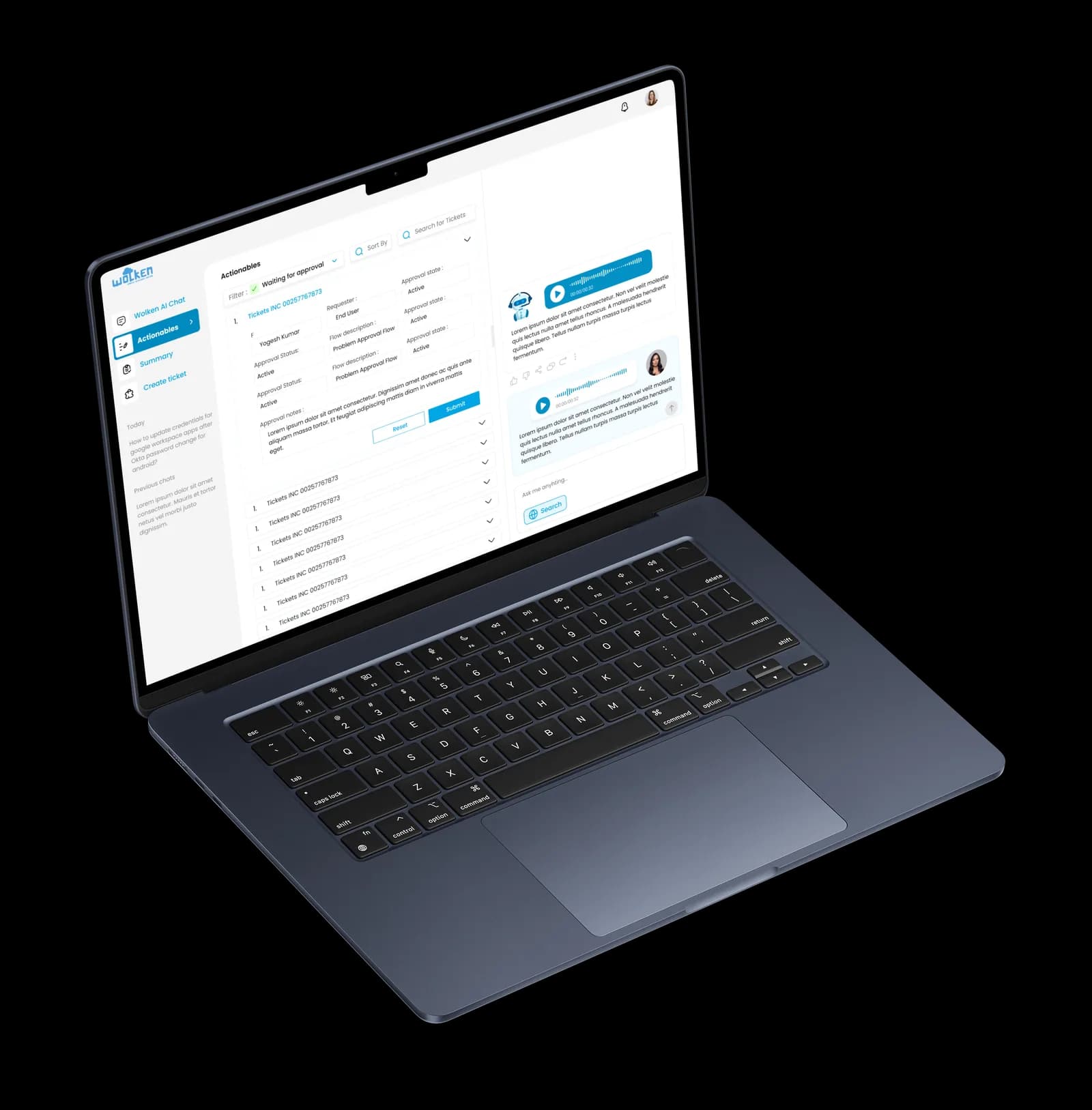
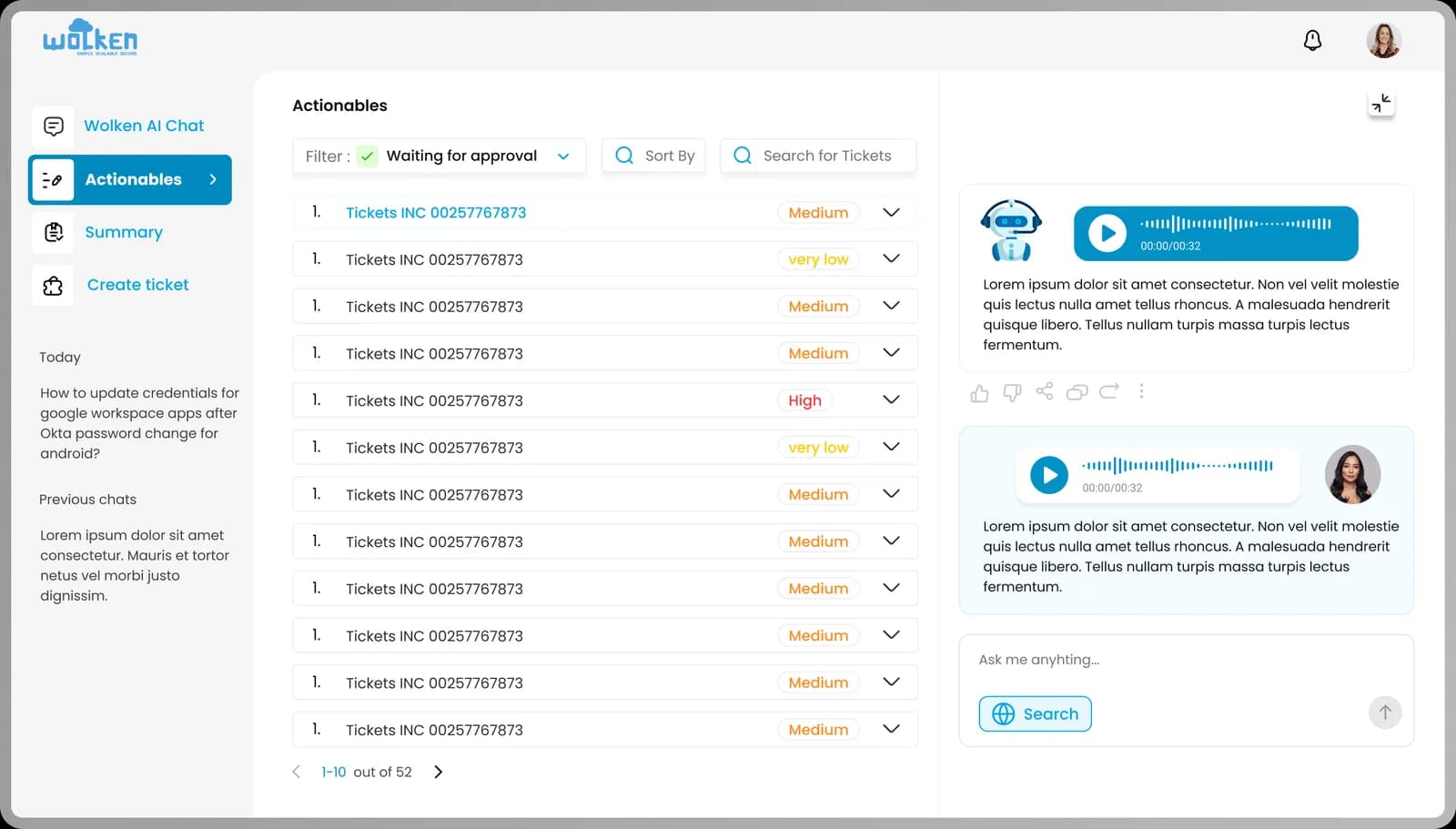
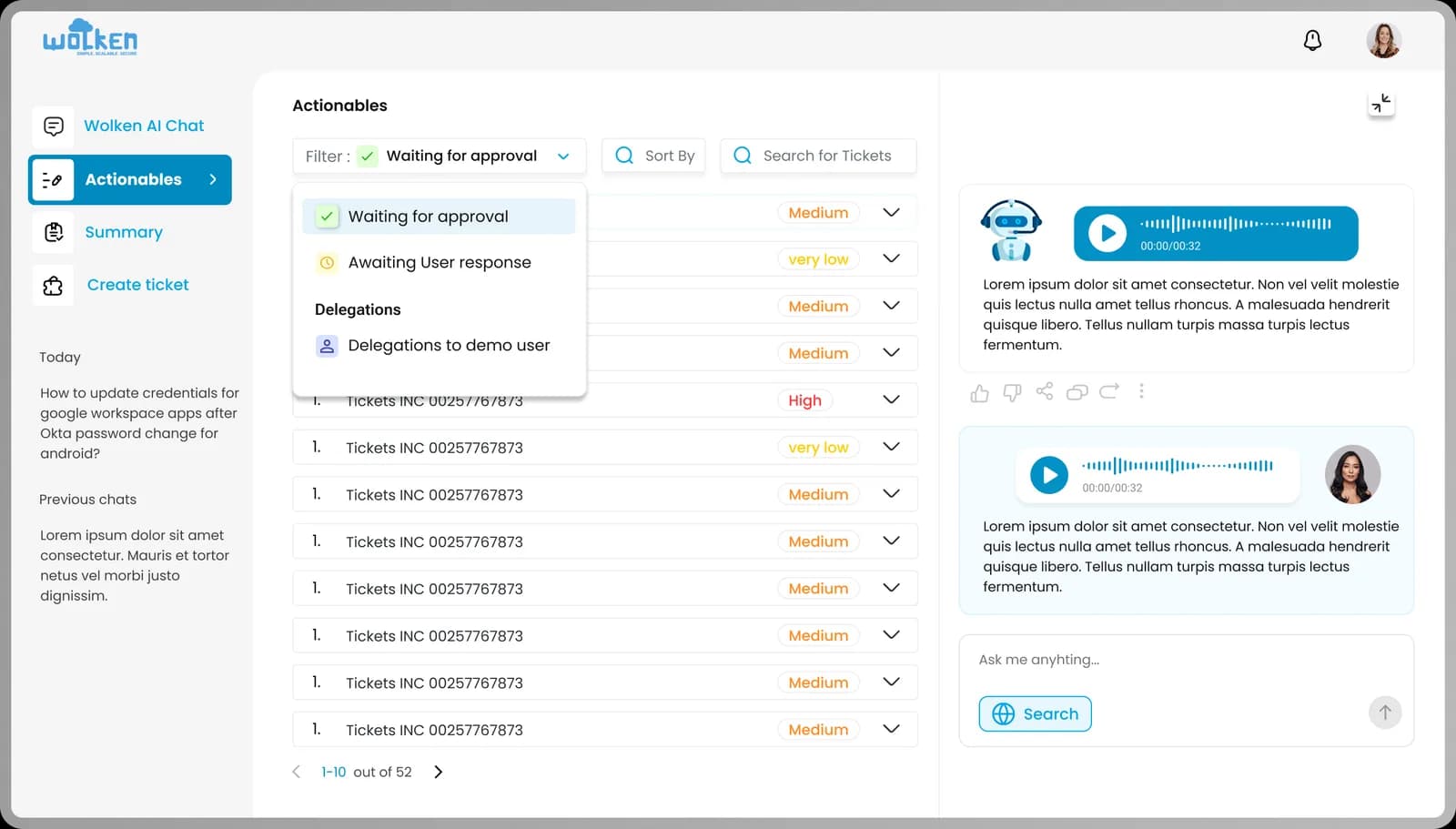
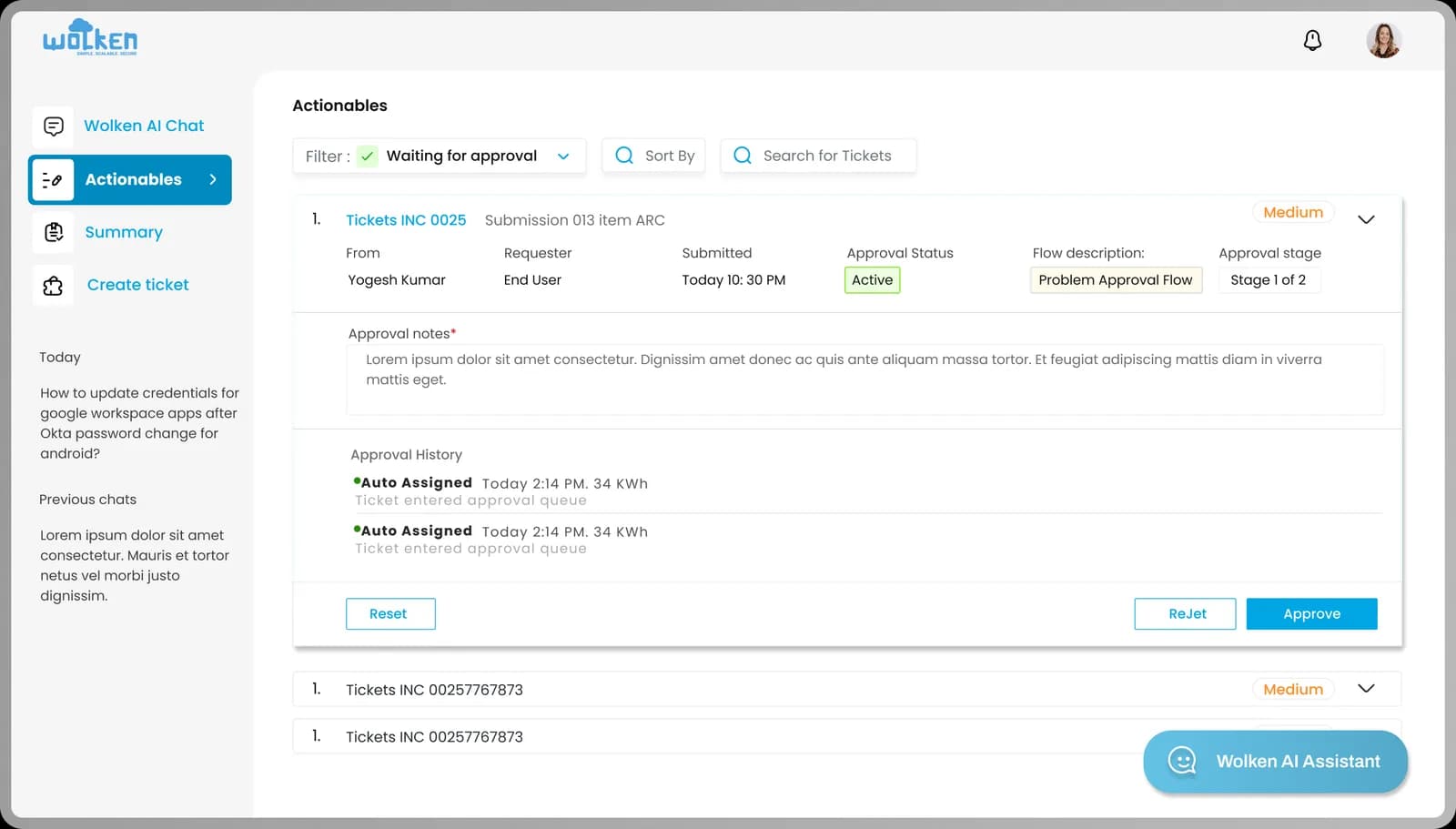
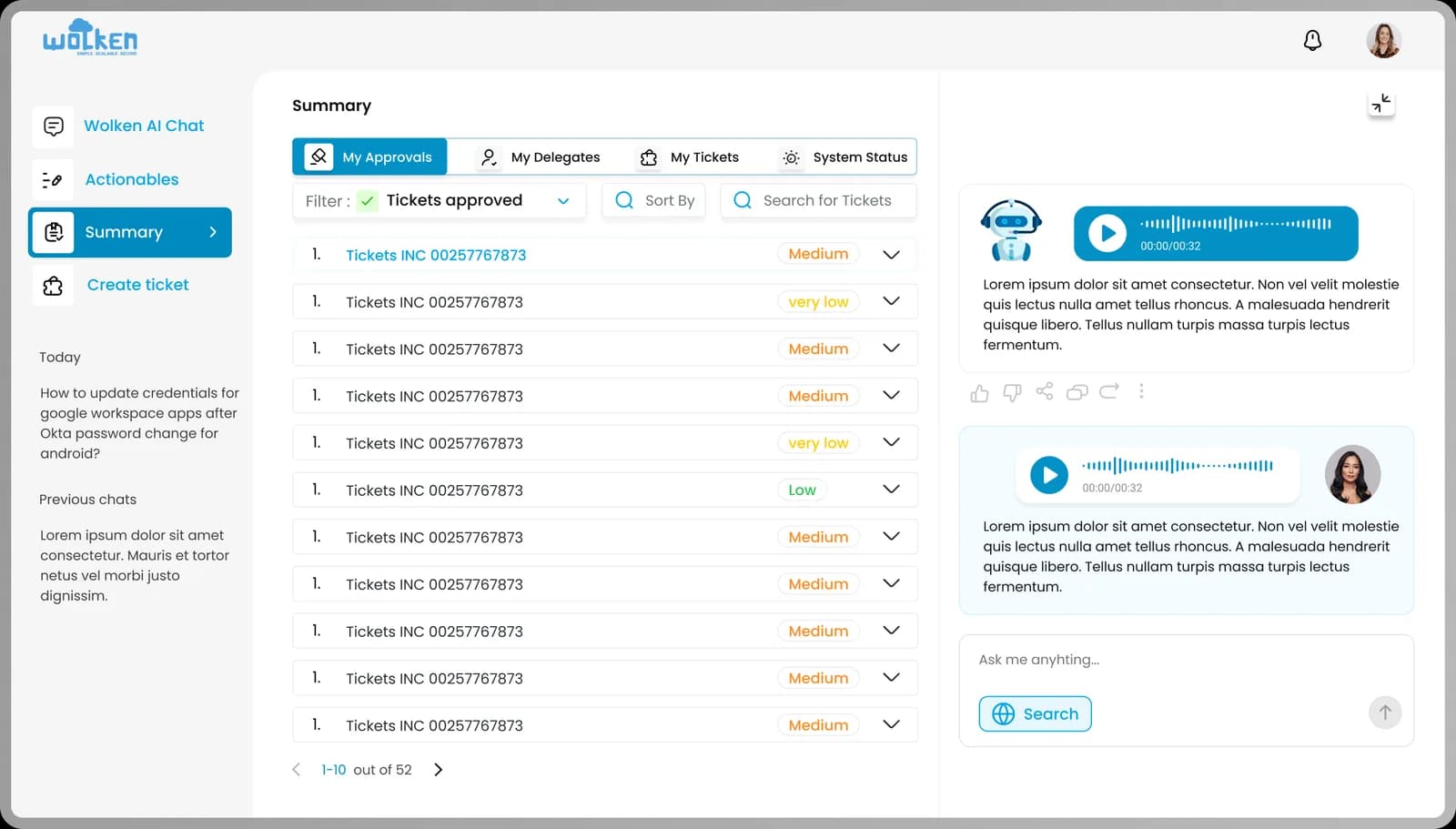
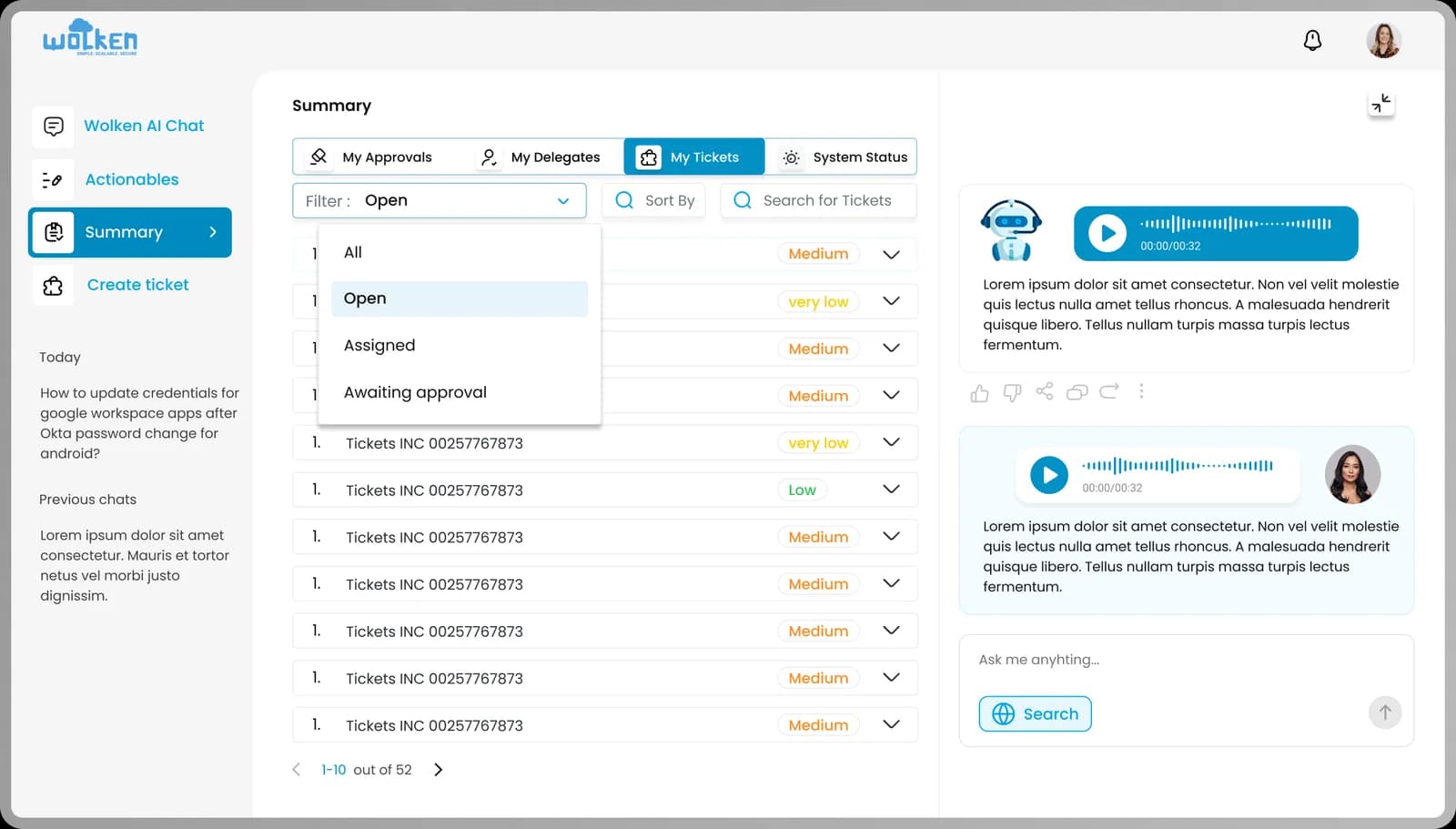
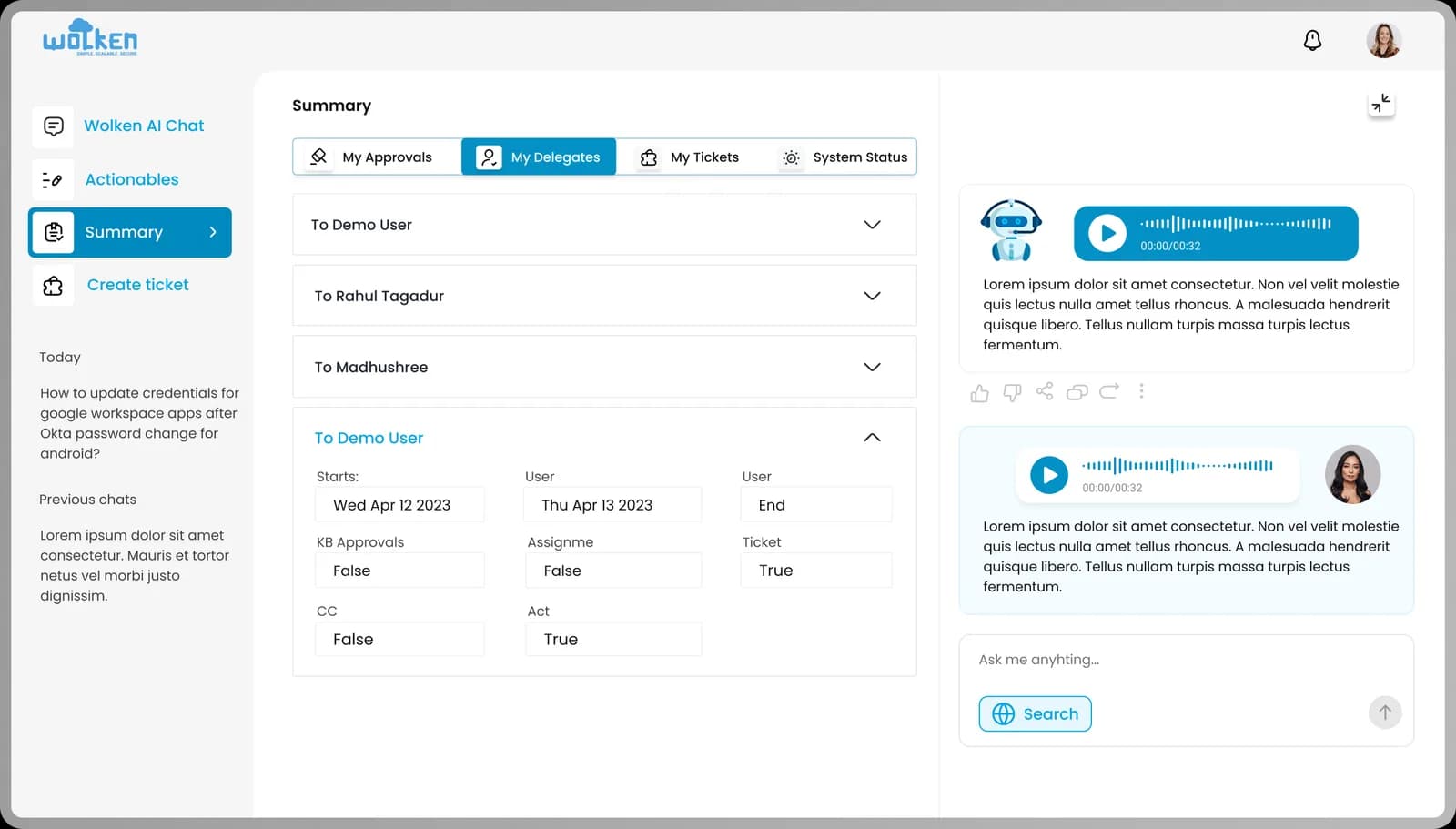
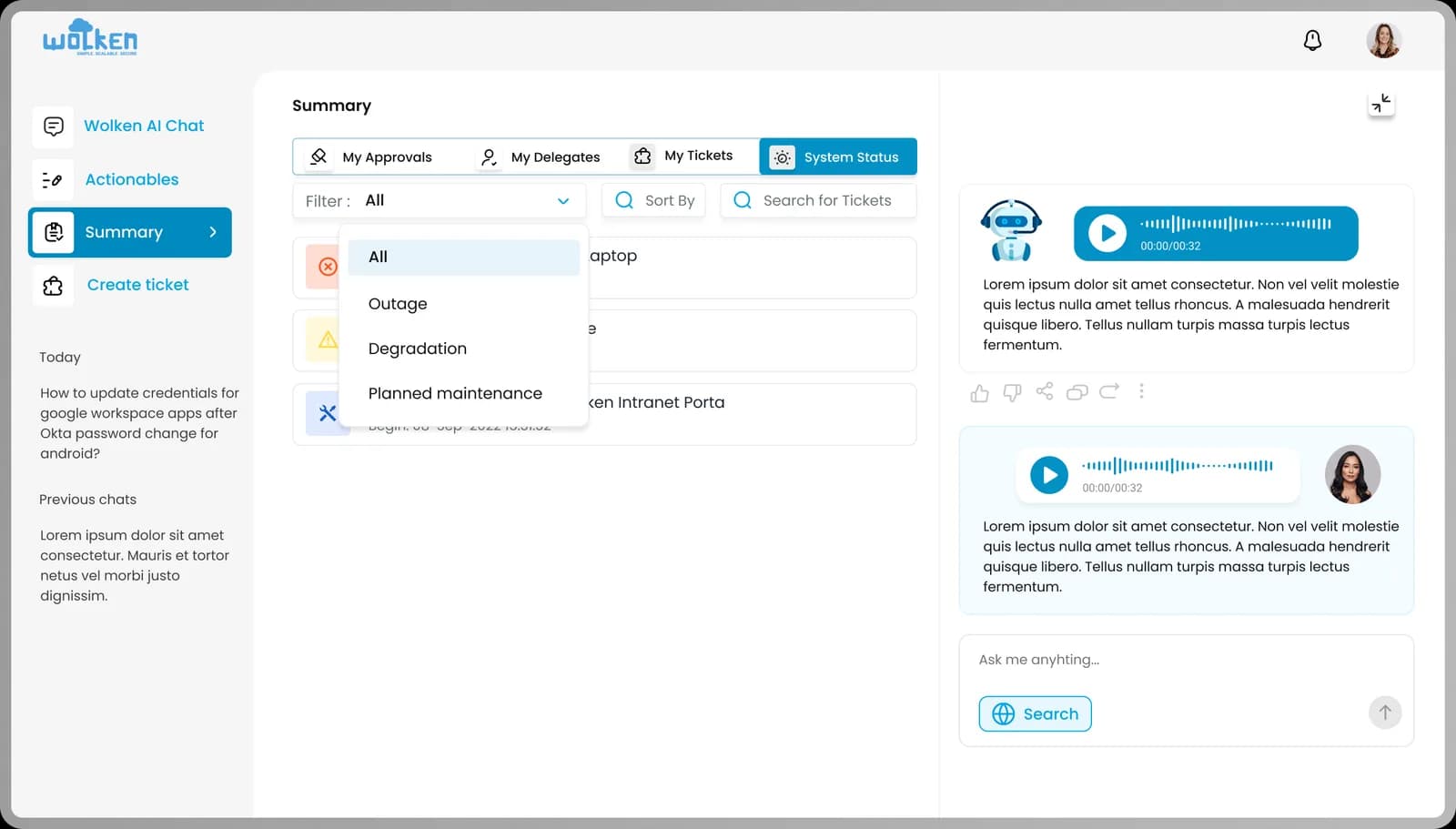
Actionables dashboard. Pending tasks in one place, with filters like "Waiting for approval" to narrow to actionable items, plus sort and search to locate specific tickets.
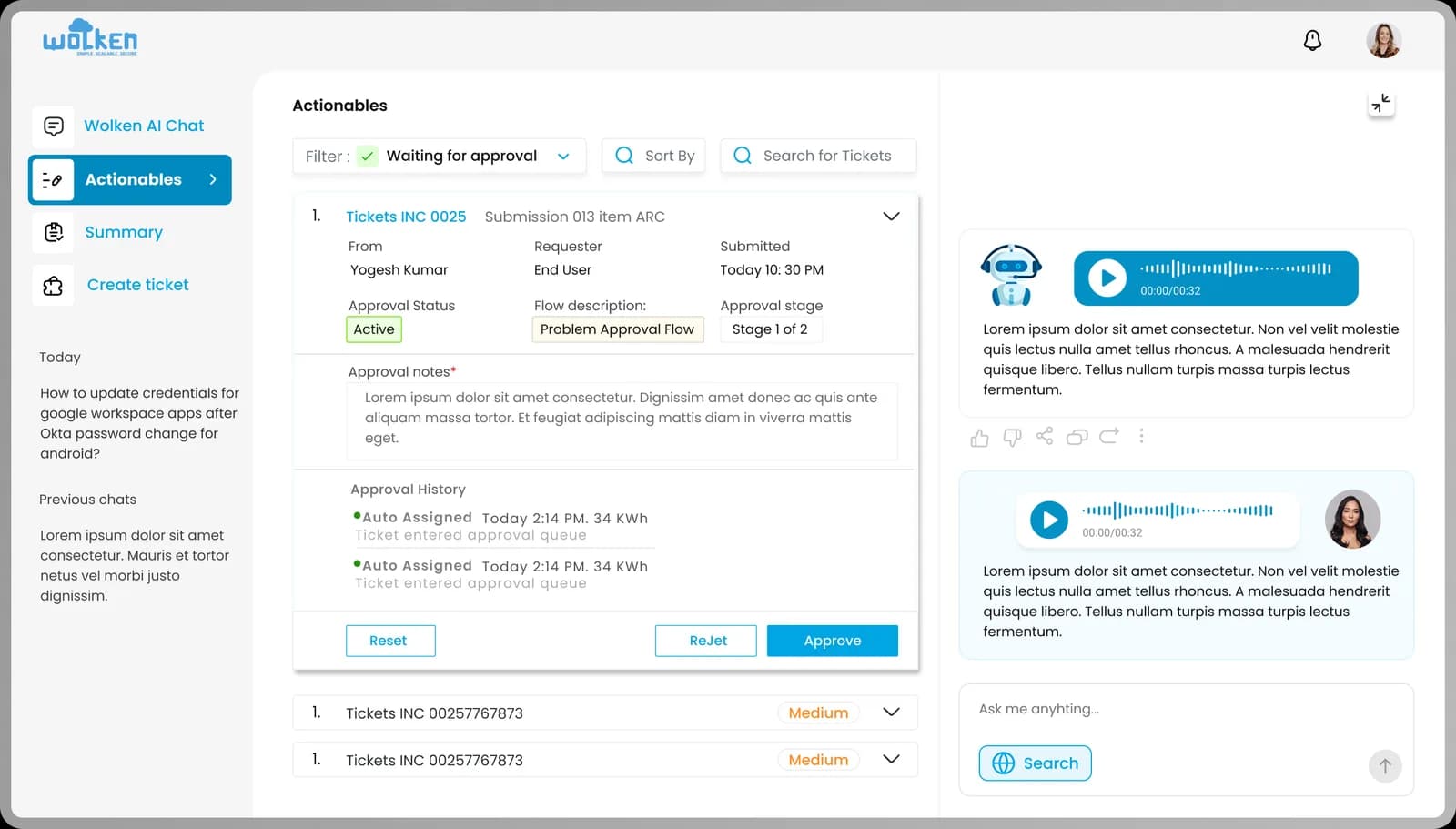
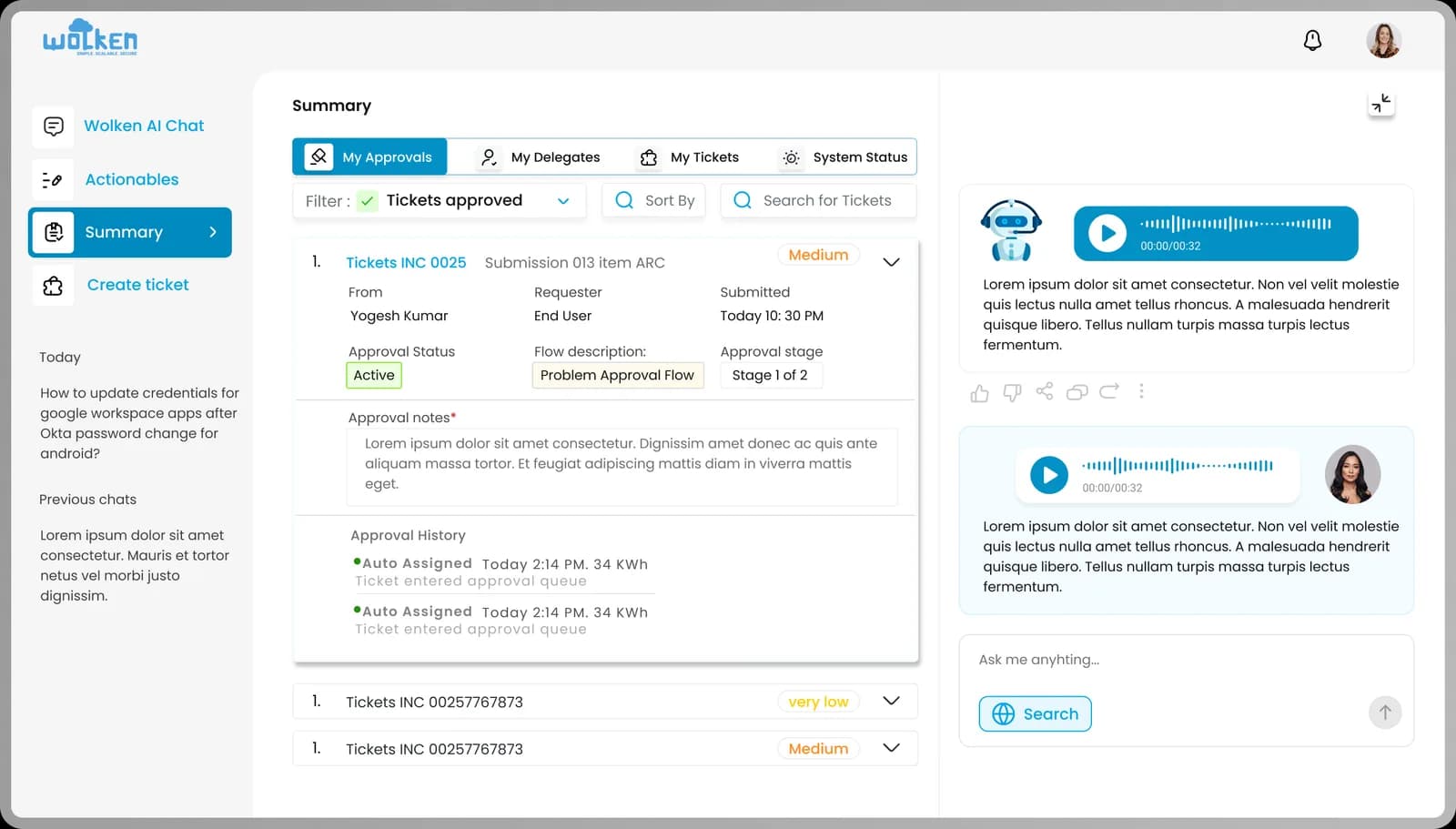
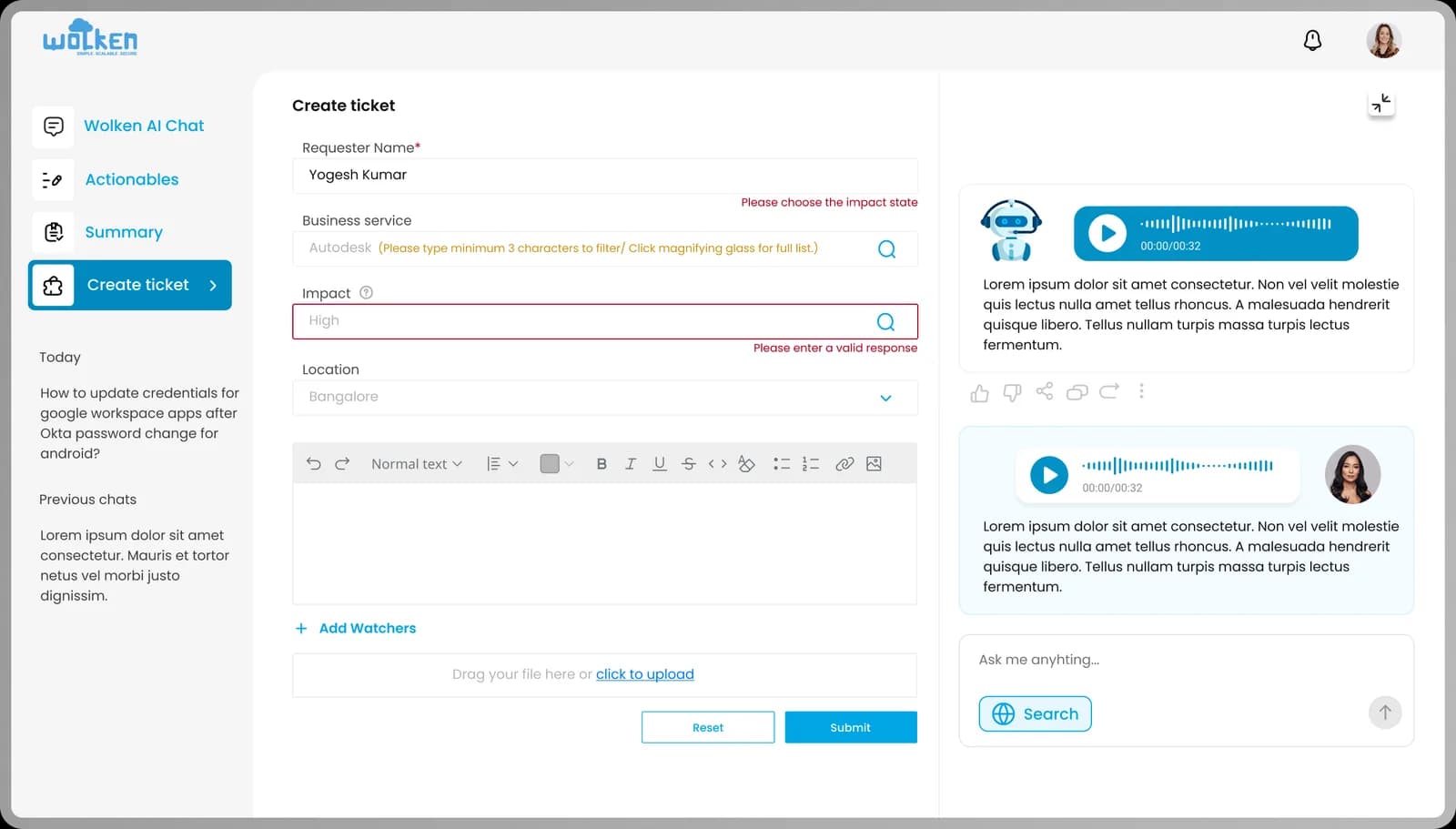
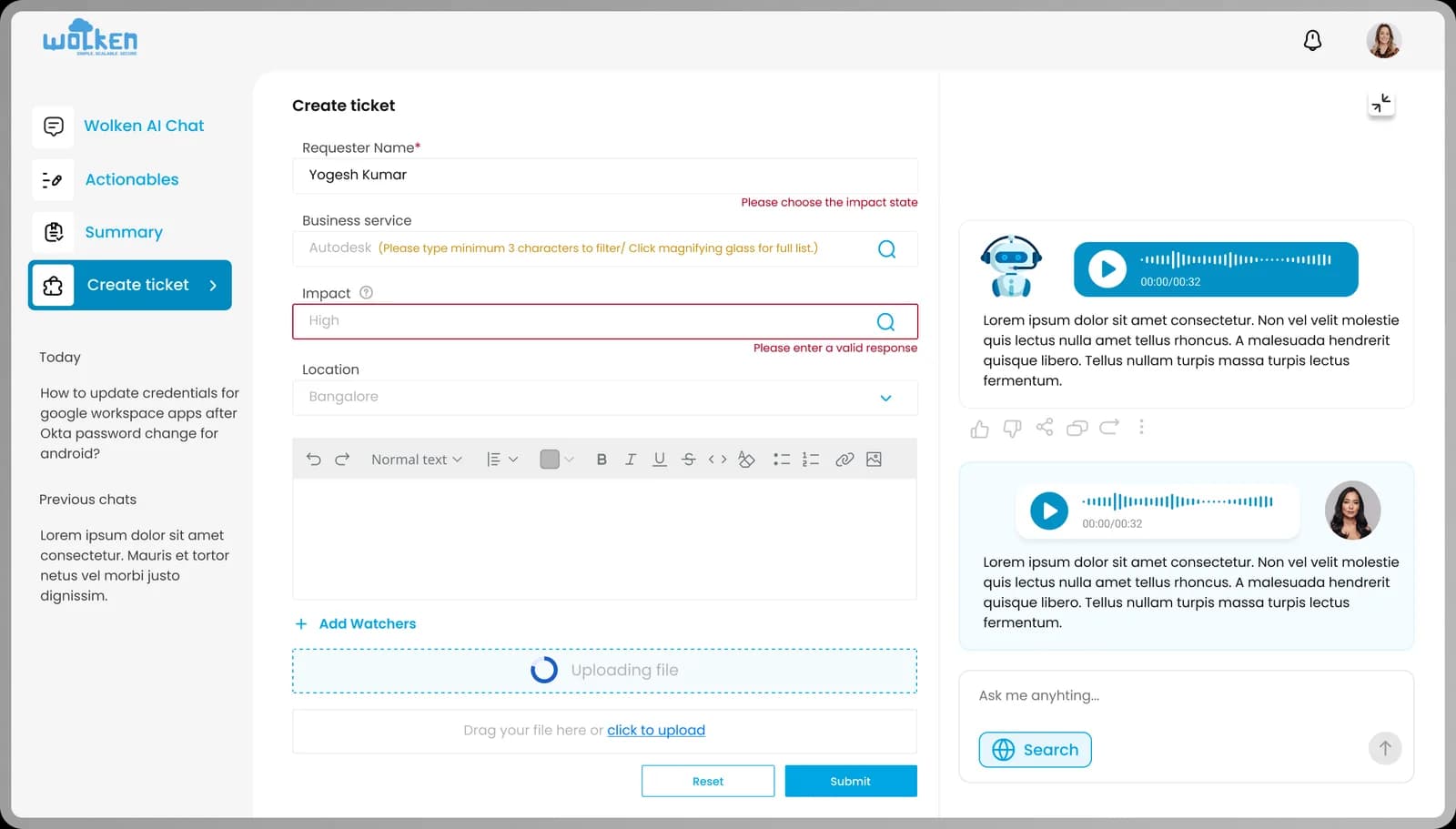
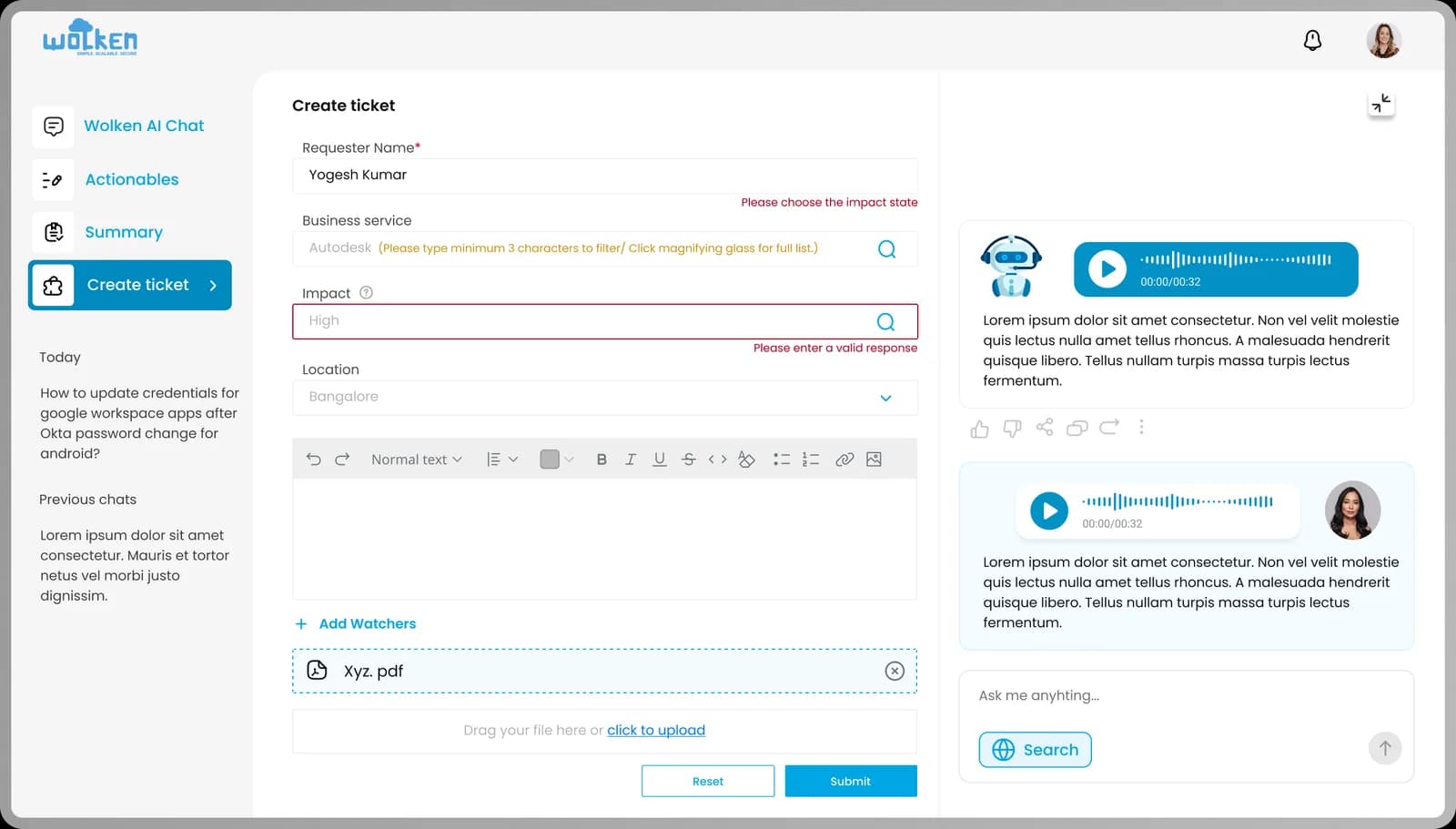
Ticket management. Each ticket shows requester, approval state and flow description. Tickets expand and collapse for review, an approval notes section allows contextual input, and Reset and Submit streamline the approval itself.
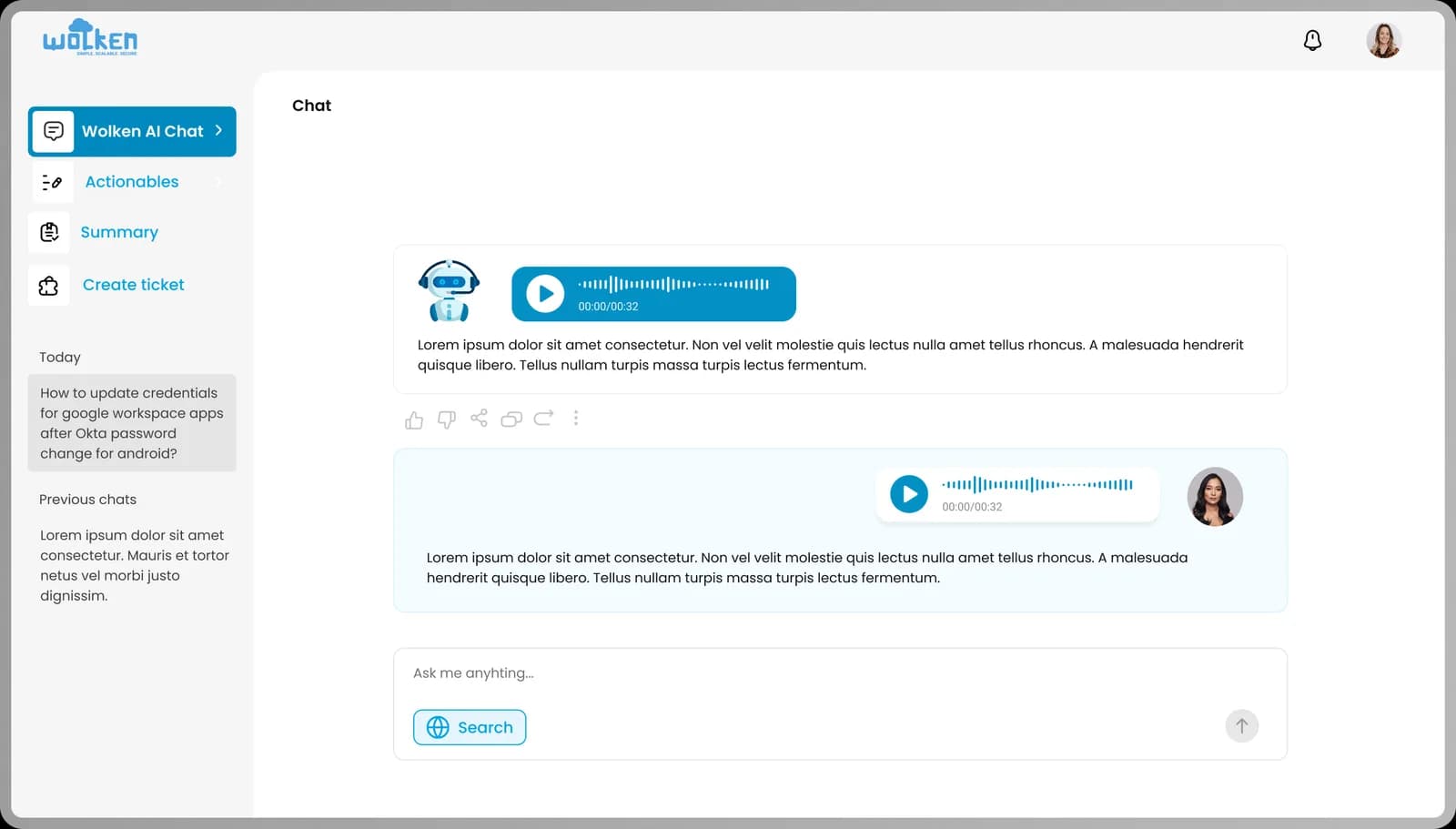
Conversational support. An integrated AI chat assistant provides real-time help, supports text and voice for accessibility, gives contextual responses and accepts follow-ups and reactions.
Knowledge and history. A sidebar surfaces today's updates and previous chats as quick reference.
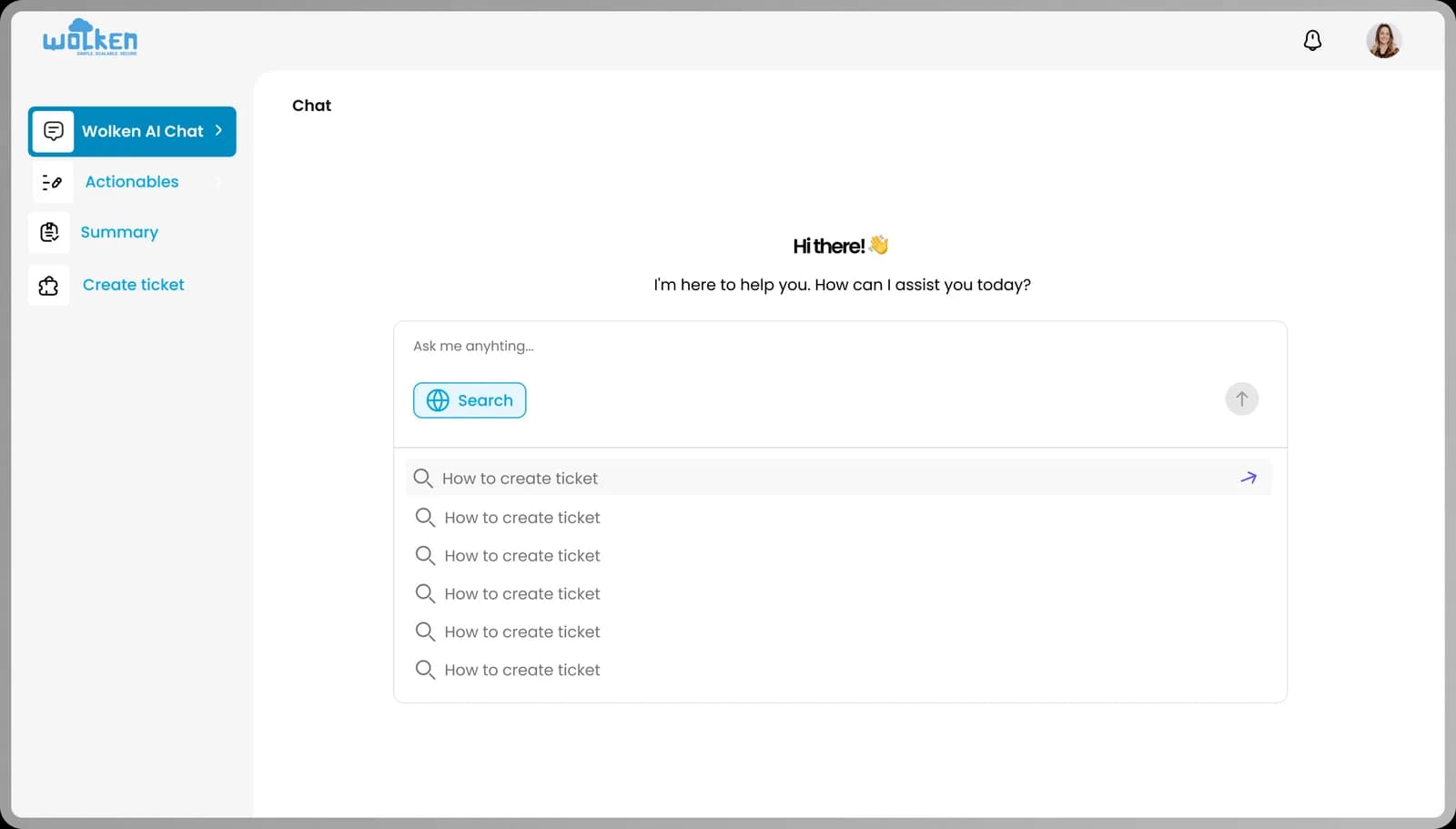
Search assistant. An "ask me anything" input lets employees query the AI directly or raise a new request.
Information architecture
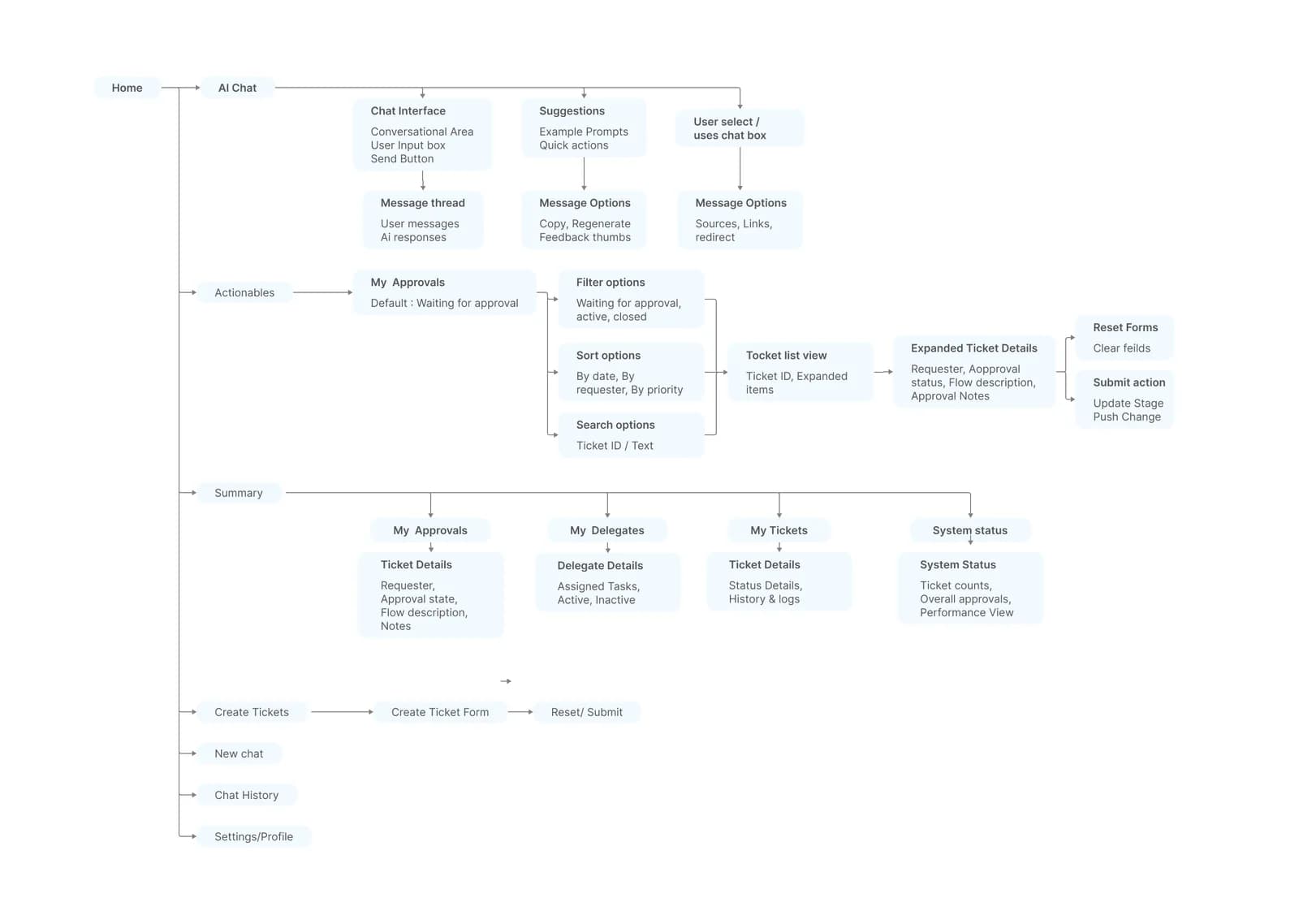
I mapped the complete user journey across approvals, tickets, delegates and system status — how users filter, sort and act on tickets, and where the AI chatbot fits. The flowchart reduces a genuinely complex set of flows into a structure that stays legible.
Final UI
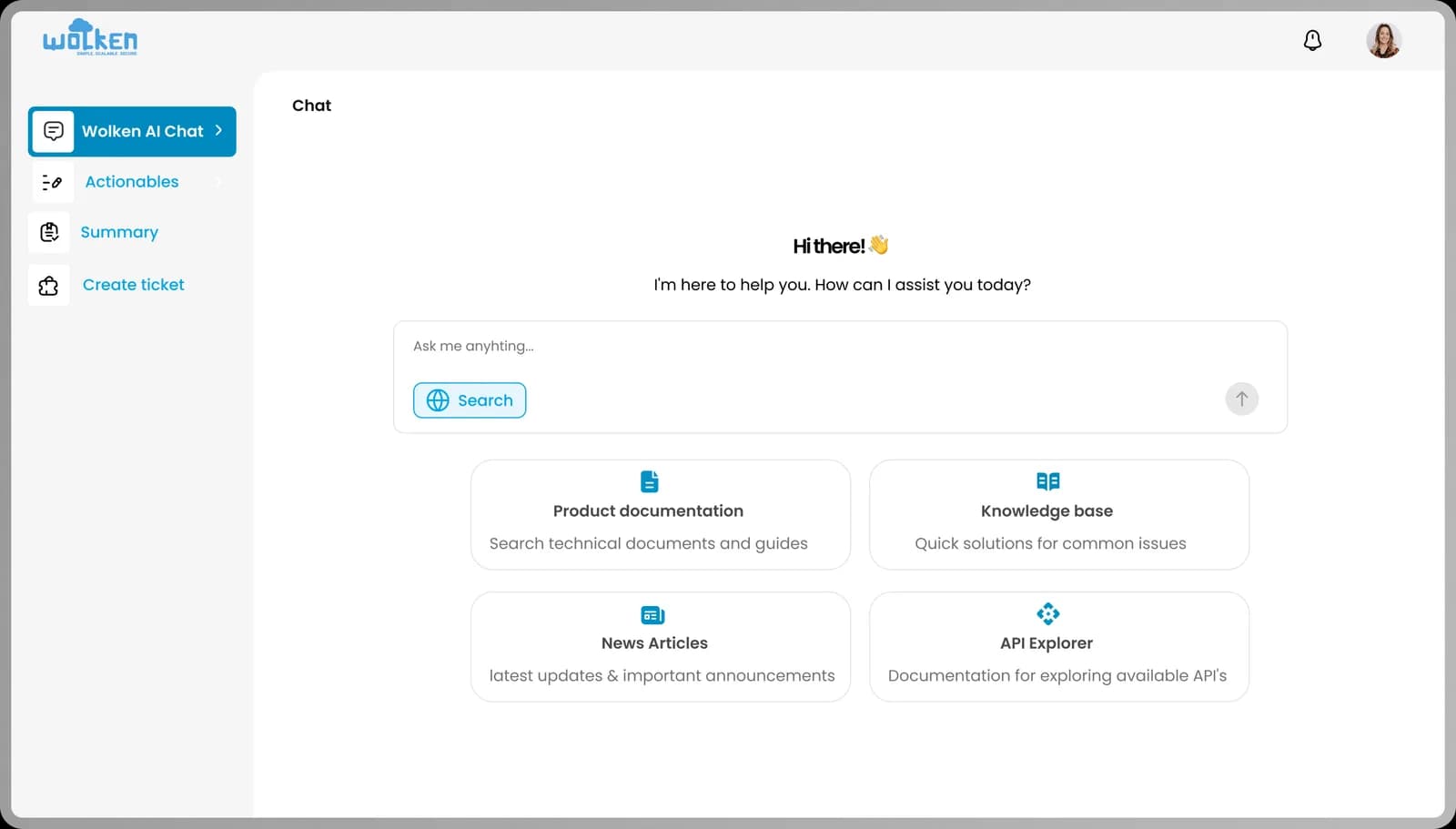
Chat interface
Actionables
Summary
Create ticket
Next project
Collegeshaala